Page 1 of 1
Summary page customization
Posted: 06 Oct 2023, 13:20
by f.carpana
Hi to all!
There is a way to configure Summary page?
I need to view data only for specific projects: at the moment I can see only data for "All Project", or for a specific project, but not for two or more selected projects.
Moreover, it would be nice to have the possibility to configure also the status column in the "By Project" window.
Thanks in advance for your answer.
Best regards,
Francesco.
Re: Summary page customization
Posted: 07 Oct 2023, 14:27
by atrol
You can start the Summary page also from the "View Issues" page.
There you can filter whatever you want (e. g. multiple projects using advanced filter).
Re: Summary page customization
Posted: 10 Oct 2023, 07:10
by f.carpana
Hi atrol,
thanks for your answer, but in the "view issue" page there is a way to select more than a project (not a project-subproject group)?
I can't find it in the filter (but may be there is a way to activate the filter via code or similar?)
Thanks again,
Francesco.
Re: Summary page customization
Posted: 10 Oct 2023, 07:40
by atrol
You have to use "Advanced Filters" for that

- AdvancedFilter.PNG (3.07 KiB) Viewed 21792 times
After that you can select multiple projects

- ProjectFilter.PNG (5.88 KiB) Viewed 21792 times
Re: Summary page customization
Posted: 10 Oct 2023, 14:32
by f.carpana
I'm sorry, but I can't find Project in the Advanced filters.

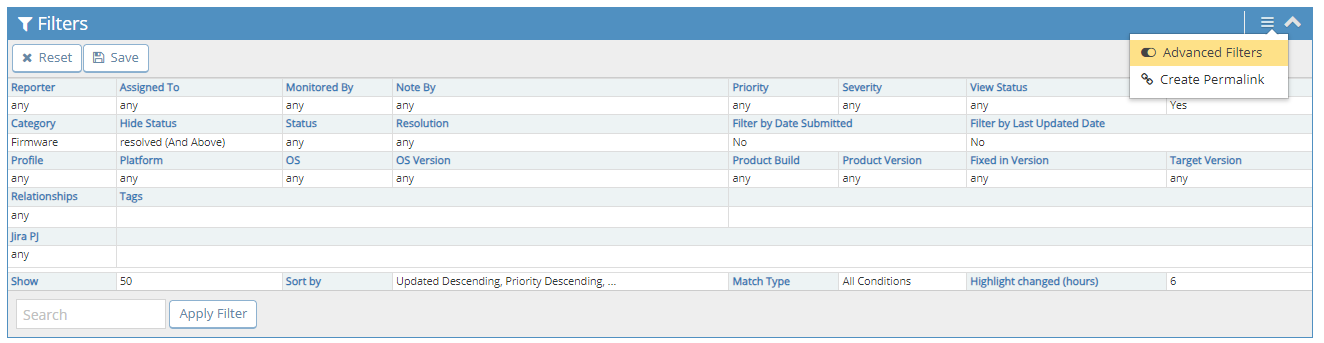
- AdvancedFilter.PNG (39.44 KiB) Viewed 21771 times
(Under popup there's "Show sticky issues")
The MantisBT version is as follow, and I have the administrator right.
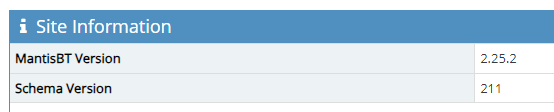
- MantisVersion.PNG (6.44 KiB) Viewed 21771 times
Thanks again,
Francesco.
Re: Summary page customization
Posted: 10 Oct 2023, 14:35
by f.carpana
I double check, and now I found it.
Thanks again for you time.
Best regards,
Francesco.